 RoutineVault
‹ Home
For Samsung Galaxy
Routines
Every routine here comes with free step-by-step build instructions —
open any of them and the Build it tab shows the exact conditions and
actions. The ready-made .rtn file and QR code are what the packs
buy you.
Greyscale Free
Black & white screen, one tap.
Fast Charging toggle
Lifts the charge cap + fast charge, one tap.
NFC killswitch
Kills tap-to-pay away from home.
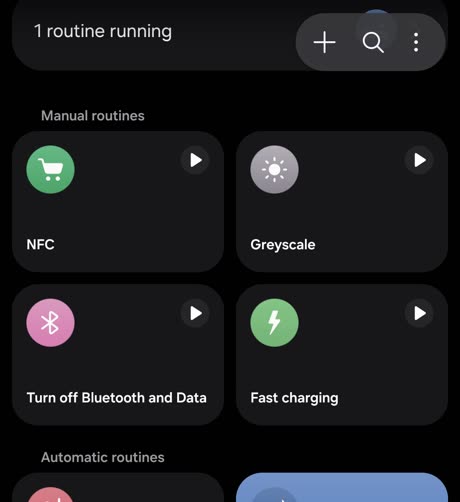
New to this? A routine is Samsung's built-in "if this, then that" for
your phone. It lives in Settings › Modes and Routines. To import
a routine from a file or QR code you need Routines+, a free module
inside Samsung's Good Lock app — or just follow the build steps by hand, no
extra app needed.